
The IT team of CHARM-EU has invested a lot of efforts into the design of an IT infrastructure that can support a Joint Programme. The blueprint for our IT architecture explains how we want to approach the provision of IT services in a ‘best of breed’ approach. In the winter of 2025/2026, we have taken a major leap forward by launching our new Virtual Learning Environment. This is sourced by IT services from different partners, and it is accessible through a local log-in from any partner institution.
Read more
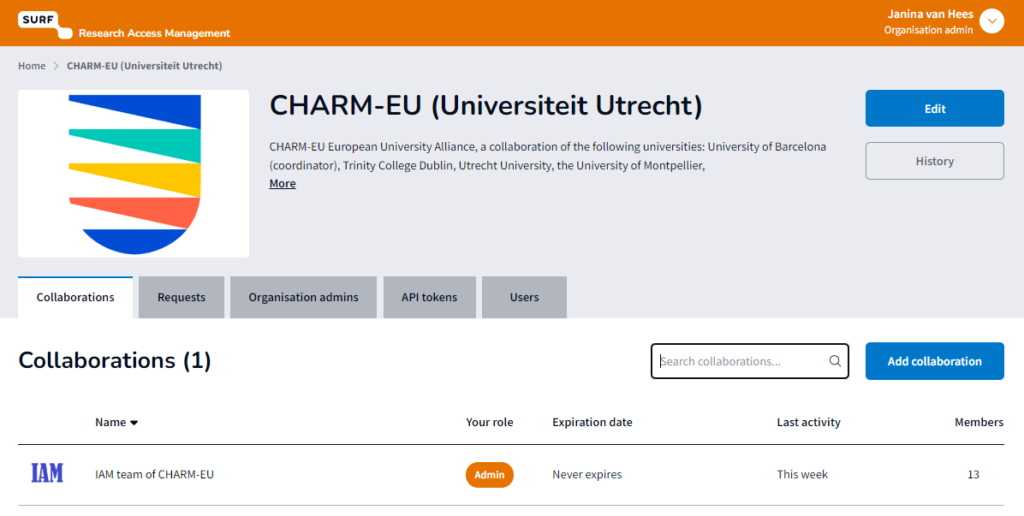
Providing access to teachers and students from nine different institutions to a single virtual learning environment is challenging. Initially CHARM-EU provided UU accounts for those who needed access to the programme’s material. However, this was confusing for users and time intensive to set up. We have now resolved this: we utilized SURF’s SRAM service—originally designed for research—to establish a comprehensive IT service for this Joint Master’s program. Users from all nine partner institutions can now log in to the Virtual Learning Environment (VLE) by using their local institutional identity. This is made possible by the underlying eduGAIN/MyAcademicID federation that the SRAM service utilizes. The services in the VLE can now be provided by various partners; currently both ELTE and Utrecht University contribute IT-services.
Within an SRAM implementation, the coordinator can create a hierarchy, consisting of three levels: organization, collaboration and groups. At each level, users can be allocated access rights, governing what they can or cannot access and edit. A cohort of an educational programme, for example, can receive a label as a ‘group’, so that teachers and students who are involved in that programme are guided towards the documentation of the correct cohort.
This has led us to an authentication method that is based on partner identities via eduGAIN. Joint IT systems can be relatively easily connected. The central management of roles and rights via group memberships is managed centrally and synchronized automatically in connected systems.
For CHARM, this approach has paved the way for a more equal partnership, in which, in principle, all participating universities can make parts of the IT infrastructure available. Ease of use for students and faculty of the Joint Program has also improved significantly, as they can now use their own, familiar login credentials.
SOMETHING FOR YOU TOO? CHECK OUT THESE RESOURCES!
- The Blueprint for our IT Architecture is available in a document that lists and compares different architecture approaches: High-level CHARM-EU architecture – CHARM-EU
- The SURF SRAM platform is explained on the webpage of SURF: SURF Research Access Management | SURF.nl
- In a presentation for the FOREU IT group, CHARM staff explained their lessons learnt on the topic of joint identity management (login necessary) CHARM-IdentityManagement_06-02-2026.pdf – Agora Cloud
WOULD YOU LIKE TO IMPLEMENT AN IT INFRASTRUCTURE FOR A JOINT PROGRAMME? SEE OUR GUIDES!
Step-by-step guide:
| Step | Action | Who should be involved | CHARM-EU supporting document |
| 1 Analyze the need for a (joint) IT infrastructure of your joint programme and make basic design choice | Analysis | Programme coordinator / IT coordinator | High-level CHARM-EU architecture – CHARM-EU |
| 2 Inventarize which IT services need to be connected and from which partner institutions, research their ability to connect | Connection of IT-services | Programme coordinator / IT coordinator | |
| 3 Design the roles and access rights and implement the provisioning | Authentication and autorisation | Programme coordinator | CHARM-IdentityManagement_06-02-2026.pdf – Agora Cloud (login required) |
| 4 Launch, communication to users, onboarding, training | Implementation | Programme coordinator |